Explore your device's YANG models
YANG Studio connects to your network devices, downloads the YANG models they publish, and lets you browse those models as a tree. When you find the data you are after, you can build a NETCONF or RESTCONF request from the tree and send it to the device without leaving the page.
docker run --rm --name yangstudio \
  -p 8420:8420 \
  -v yangstudio-data:/data \
  ghcr.io/karmatek-consulting-llc/yangstudio:latest
Then open localhost:8420. Press
Ctrl-C to stop it. The --rm flag tidies the
container away afterwards but leaves the yangstudio-data
volume alone, so everything you downloaded is still there next time.
What it does
Schema discovery
When you connect, the device lists every YANG module it implements, along with the revision it uses, the optional features it has turned on, and any vendor deviations it applies. You can read that list over either protocol — NETCONF, or RESTCONF for devices that do not run NETCONF at all — and choose which of those modules to download. The download runs in the background, so you can carry on working or close the page while it finishes.
A tree you can actually navigate
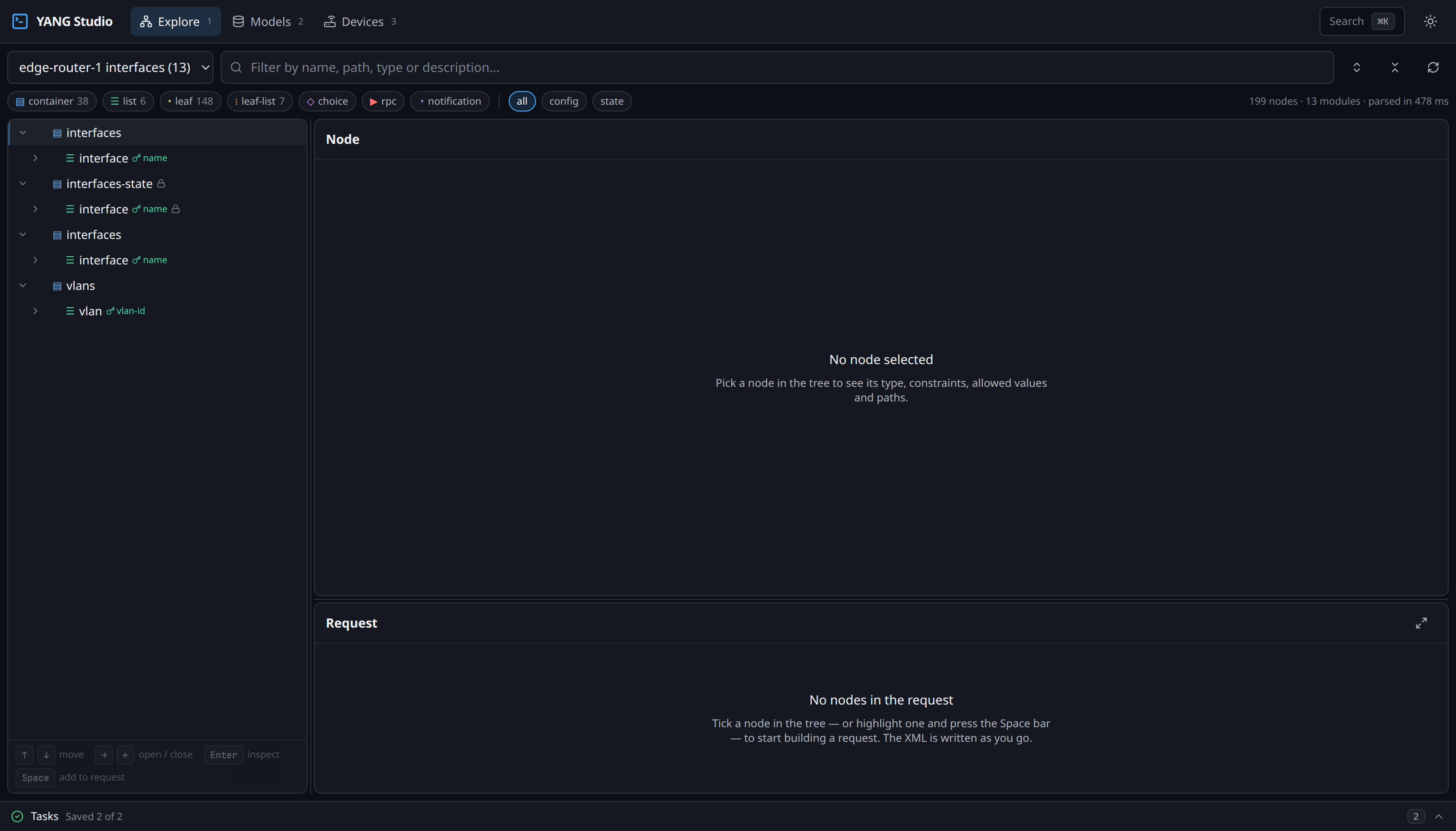
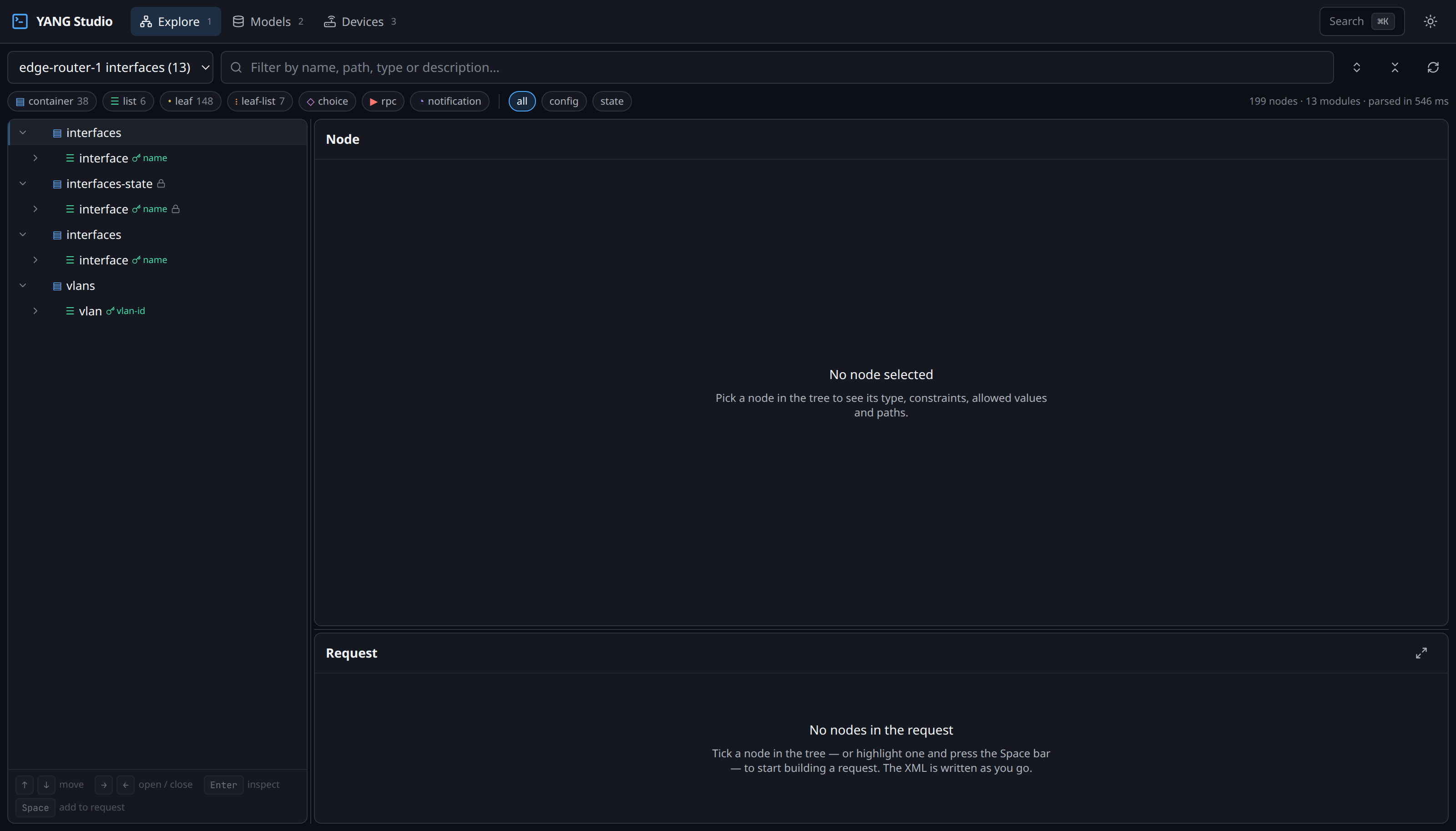
The models are parsed into a browsable tree. Only the rows on screen are rendered, so even a set with a hundred thousand nodes scrolls smoothly. The filter box works as you type, and when a node matches, its parents stay visible around it — you see where the result sits in the model rather than a flat list of names with no context.
Full detail on every node
Selecting a node shows you its type and the chain of typedefs beneath it, any range or pattern constraints, the values it will accept, and both of the paths that address it. It also tells you whether the node is config that you can write to, or state that the device only reports.
Requests built from the model
As you tick nodes in the tree, the request is written for you: either the NETCONF XML, or the RESTCONF method, URL and JSON body. You can send it to the device from the same panel, and the reply comes back formatted and syntax-highlighted rather than as one long line.
Light and dark
The interface follows whichever theme your system is set to, and you can override it from the button in the top bar.
Where to go next
Getting started →
Walk through the whole flow, from an empty install to a request running against one of your devices.
YANG concepts →
If the terminology is new to you, start here. It covers what a capability string is, what you are downloading, and why a repository and a set are two different things.
NETCONF →
How filters are built, what the datastores are for, and why a write to some devices needs a commit afterwards.
RESTCONF →
The same models over HTTP, how a YANG path becomes a URL, and where the two protocols part company.