NETCONF
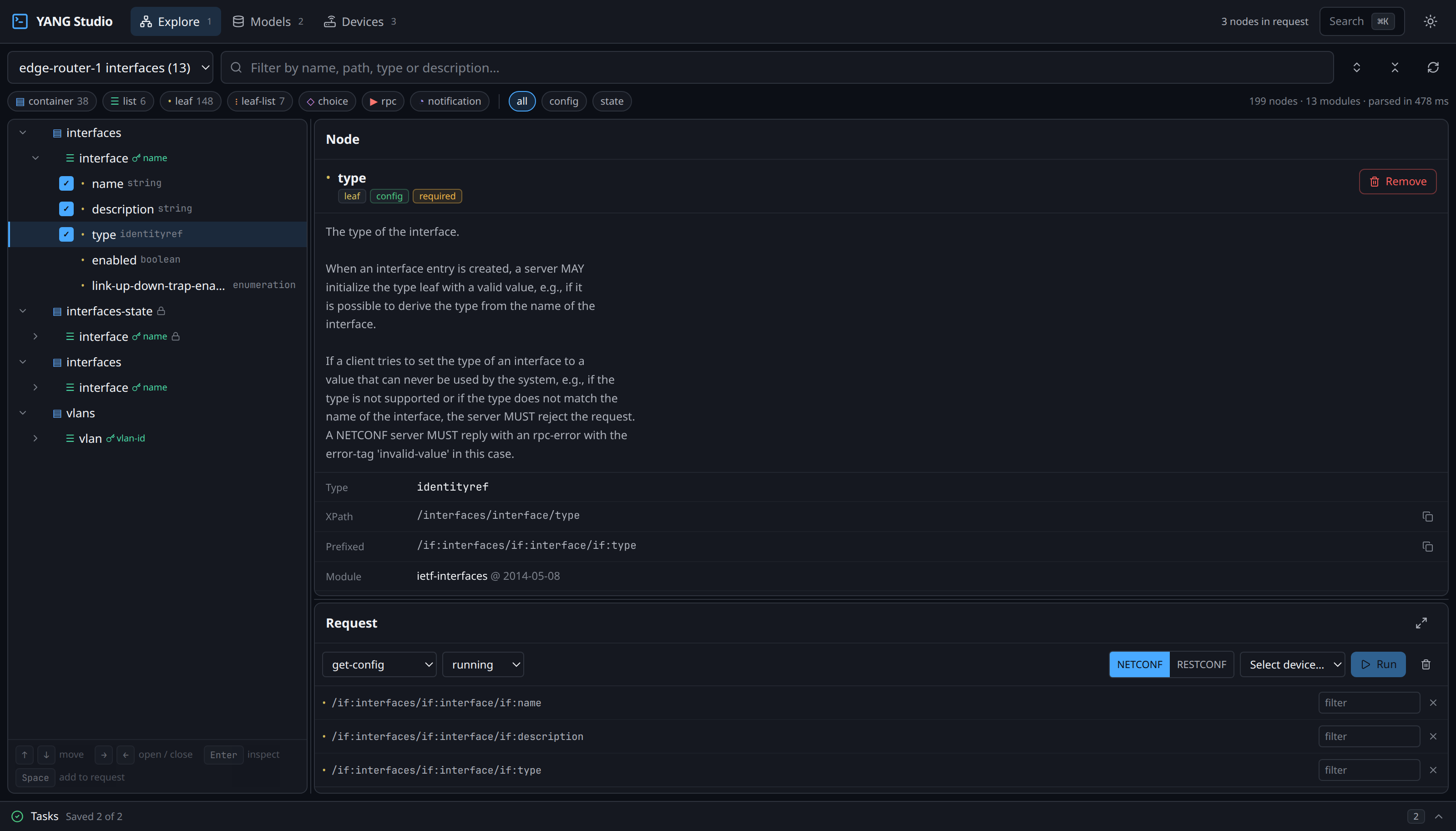
As you tick nodes in the tree, YANG Studio writes the NETCONF XML for you. A single NETCONF filter can ask for several unrelated parts of the tree at once, which is the main thing that sets it apart from RESTCONF.
The device needs netconf-yang configured, and AAA set
up so it will authorise the session. See
preparing the device.
Reading
If you select three leaves that live under the same list, you get a
single get-config whose filter names all three. Selections
that share a parent are merged underneath it rather than each repeating
the whole path:
<get-config>
  <source><running/></source>
  <filter type="subtree">
    <interfaces xmlns="urn:ietf:params:xml:ns:yang:ietf-interfaces">
      <interface>
        <name/>
        <description/>
        <type/>
      </interface>
    </interfaces>
  </filter>
</get-config>
If you type a value into a key leaf, that value becomes part of the filter, and the device narrows its reply to the matching entry rather than returning every one.
Reading the reply
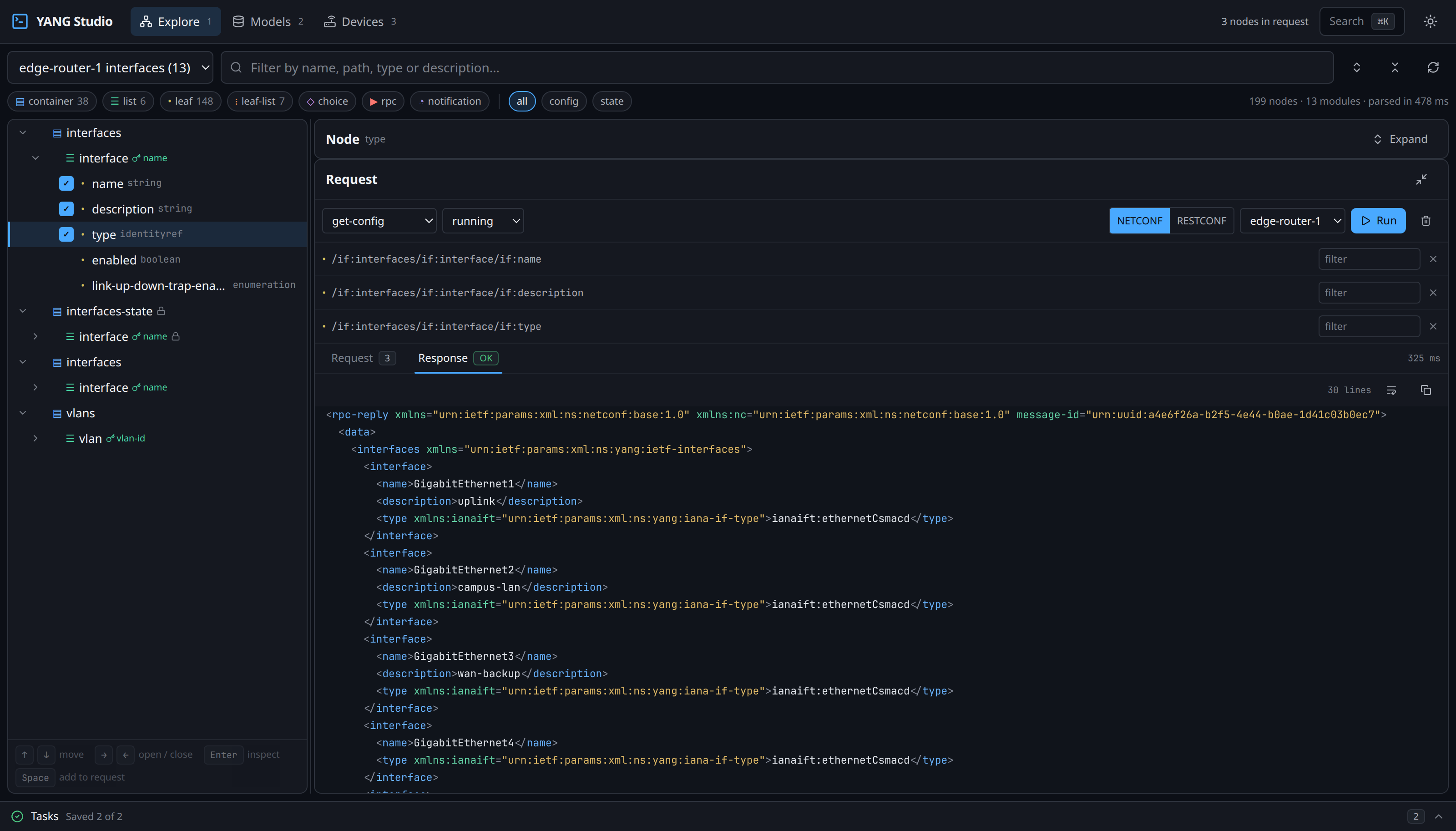
Devices send their replies as a single unbroken line. That is perfectly correct on the wire and completely unreadable on screen, so YANG Studio re-indents and highlights the XML before showing it to you.
Datastores
NETCONF keeps the configuration that is currently running separate from the one you are editing. Which datastores a device offers varies, and YANG Studio works that out from the capabilities it advertised when you connected.
| Datastore | Is |
|---|---|
running | The live configuration. Writable only if the device advertises :writable-running. |
candidate | A scratch copy. Edits land here and take effect on commit. |
startup | What the device loads at boot, where supported. |
Writing, and why commit matters
Many devices refuse a direct write to running. IOS-XR and
Junos always; IOS-XE once candidate-datastore is enabled.
There, an edit-config against running comes back:
Unsupported capability :writable-running
On those devices the sequence is to edit into
candidate and then commit. If you skip the commit, the
edit is thrown away when the session closes, and the successful-looking
reply from the first step would have implied a change that never
actually happened.
YANG Studio marks a staged edit rather than letting it look applied:
Staged in candidate — not applied yet. [ Commit ] [ Discard ]
The full sequence, as measured against a live IOS-XE device:
| Step | Operation | Took |
|---|---|---|
| 1 | edit-config into candidate | 5.3 s |
| 2 | validate the candidate | 2.8 s |
| 3 | commit | 19 s |
A commit is slow because the device is applying configuration. On
the same device a second commit took 52 s. The default reply
timeout is 60 s — raise YANGSTUDIO_RPC_TIMEOUT if your
commits run long.
Confirmed commit
Where the device supports it, a commit can be conditional: it rolls back automatically unless a second commit confirms within the timeout. That is the safety net for a change that might cut off your own access.
<commit>
  <confirmed/>
  <confirm-timeout>120</confirm-timeout>
</commit>
Per-node operations
Within a single edit-config, every node you selected can
carry its own operation. That means one request can merge a value into
one leaf and delete another leaf entirely, and the device applies both as
one change.
| Operation | Does |
|---|---|
merge | Set the value, leaving siblings alone. The default. |
replace | Replace the node and everything under it. |
create | Set it, failing if it already exists. |
delete | Remove it, failing if it is absent. |
remove | Remove it, succeeding either way. |
Sessions
YANG Studio keeps a NETCONF session open and reuses it, rather than reconnecting for every request. If a request does time out, the session is closed rather than reused: a reply that arrives late, against a message the client has already given up on, leaves the channel out of step, and every request after it would time out as well. Simply trying again reconnects and works.
The same applies during a download. Devices close NETCONF sessions for their own reasons, and a long download is exactly when that tends to happen. When it does, the module that failed is retried once on a fresh session rather than being written off — and rather than every module after it failing on the same dead connection.